Free AI Background Changer — Change Photo Backgrounds Instantly

Upload your photo, describe the new background you want, and our AI background changer replaces it in seconds — no watermark, no design skills needed.

Choose a background color

We create a clean transparent cutout, then apply your chosen color.

AI background changer result

Change Photo Backgrounds in Three Simple Steps

Upload your image, describe any background scene in words, and download a natural-looking result in about 30 seconds — no manual masking, no complex settings.

Step 1: Upload Your Image

Upload a JPG, JPEG, PNG, or WEBP image up to 24MB. The AI background replacer automatically detects and preserves your subject including hair strands, transparent edges, and fine details.

Step 2: Choose or Describe Your New Background

Pick a solid background color for a clean look, type a custom prompt, or upload a background reference image. The AI matches your photo's lighting and perspective.

Step 3: Generate and Download Your Image

Preview your new image and download a high-quality, watermark-free result, ready for e-commerce listings, social media, and marketing materials.

Change Any Photo Background with AI

Create publish-ready product photos, headshots, social posts, and travel scenes in seconds.

Professional Product Photos for E-Commerce

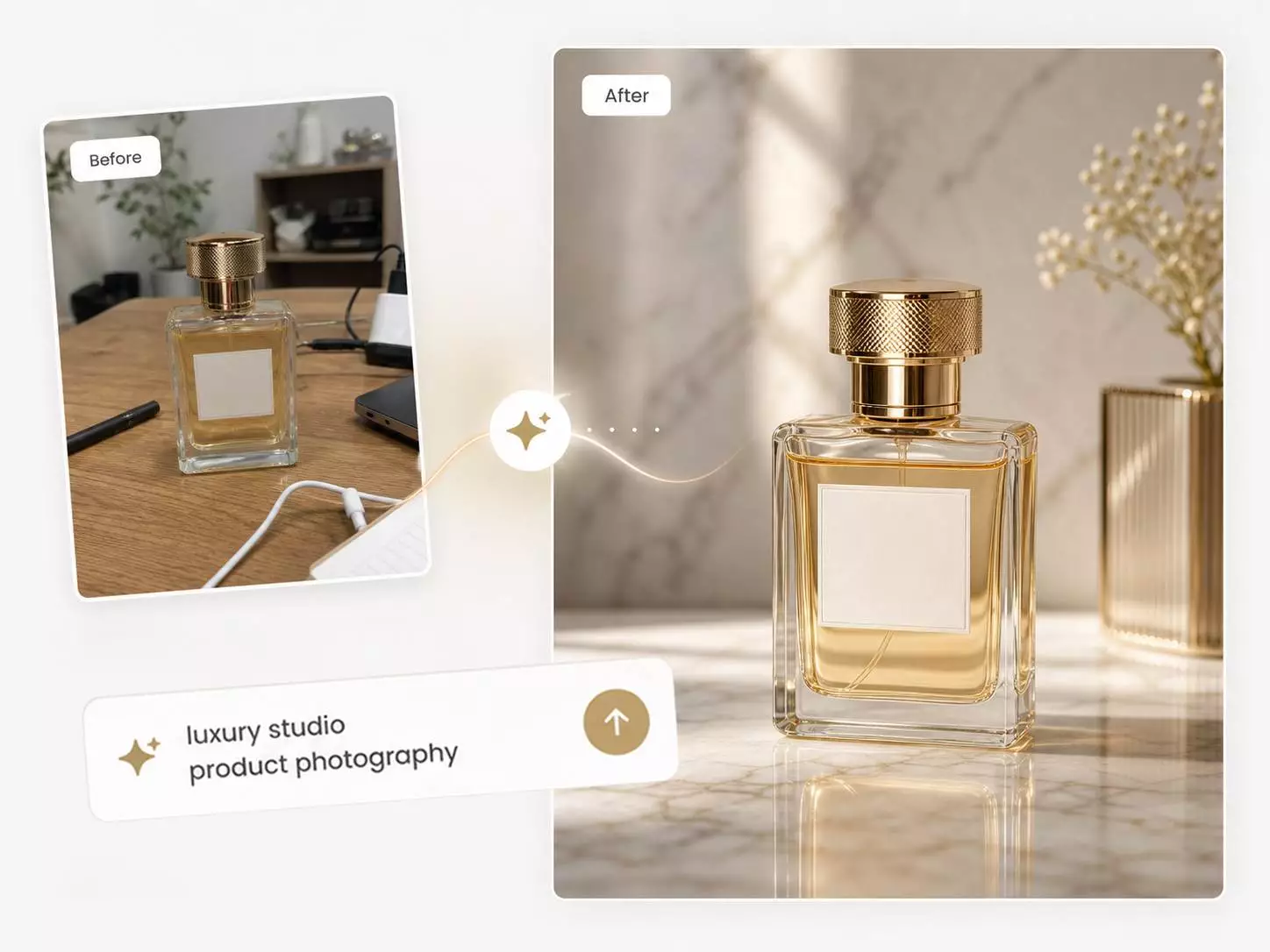
Turn a phone snapshot into a marketplace-ready product listing. Replace cluttered backgrounds with luxury marble surfaces, warm wooden shelves, soft fabric settings, or premium studio backdrops that match your brand.
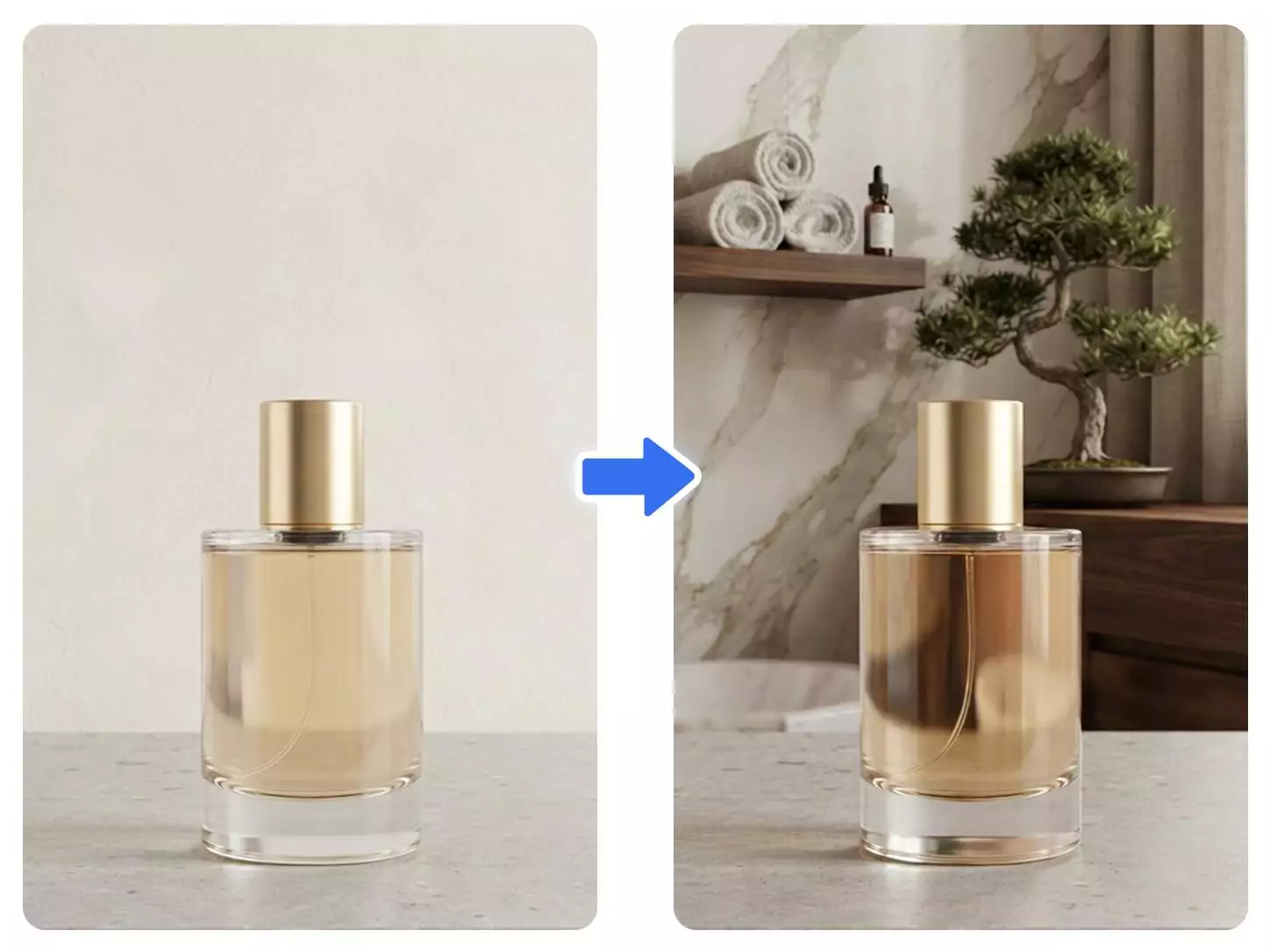
AI product background generator — e-commerce product photo transformed into a luxury marble spa setting with rolled towels and bonsai tree

Professional Headshots in One Click

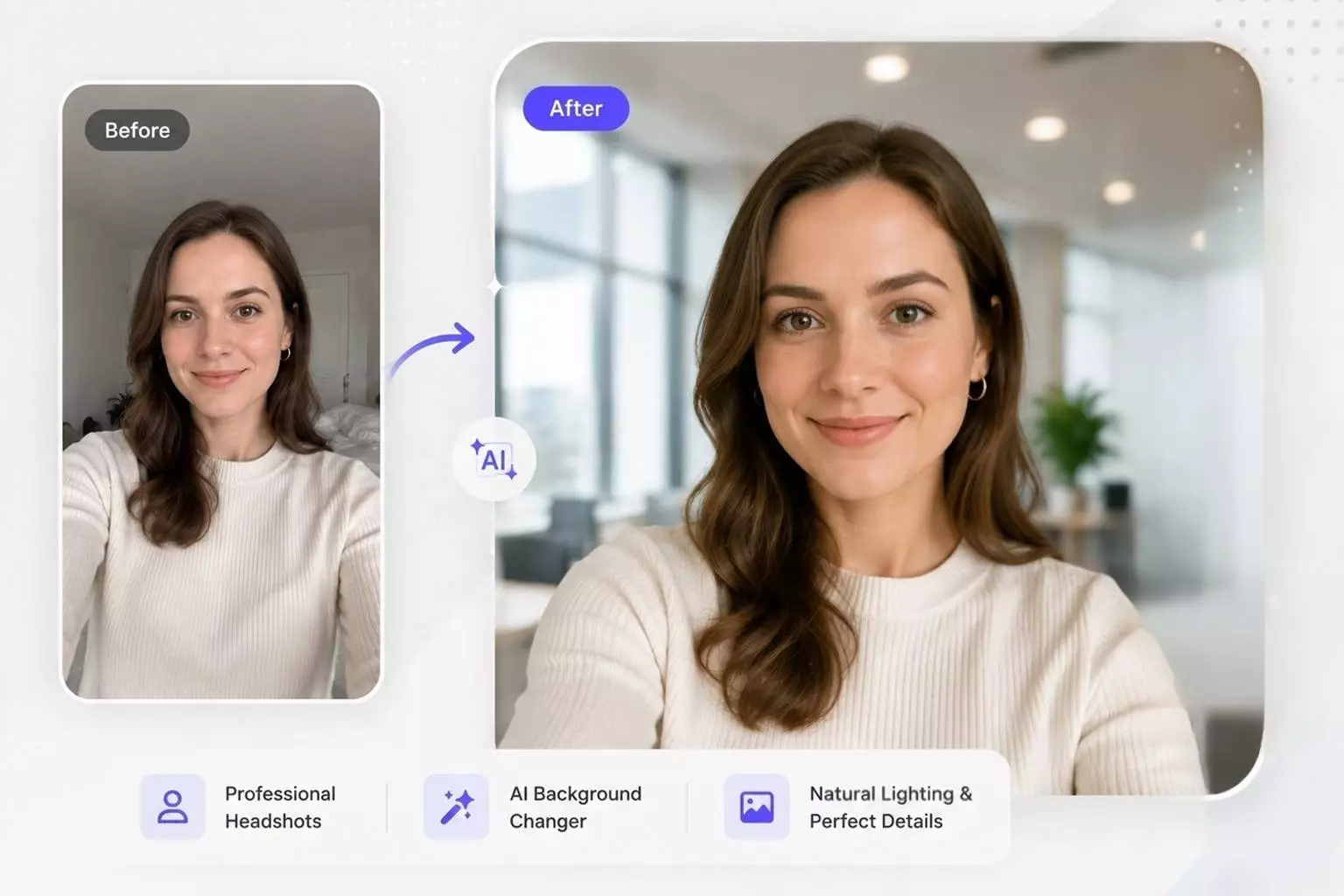
Turn any selfie into a polished headshot with a modern office, clean studio, library, or city skyline. The AI keeps hair strands and soft edges intact while matching the new scene's lighting.

Change LinkedIn photo background with AI — selfie transformed into polished professional headshot in modern glass office

Stand Out on Social Media

Swap plain backgrounds for seasonal themes, festival vibes, or on-brand creative scenes. Change the background of any photo to match your content calendar and keep your feed looking fresh.

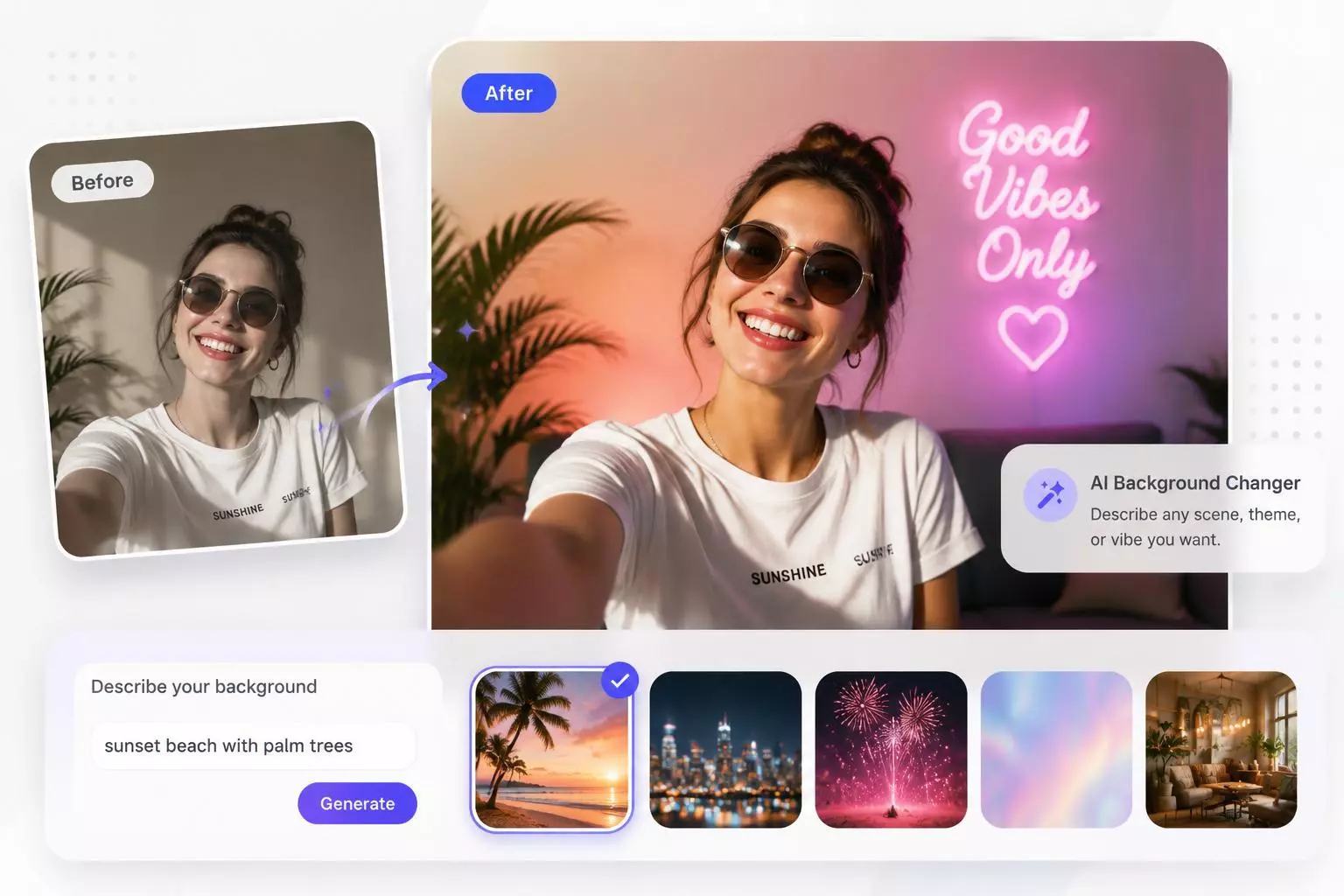
AI background replacer — social media selfie transformed into vibrant pink neon vibe

Travel and Lifestyle Photo Transformations

Place yourself in any scene you can describe — a Parisian street at dusk, a tropical beach at golden hour, a mountain viewpoint, or a futuristic cityscape.

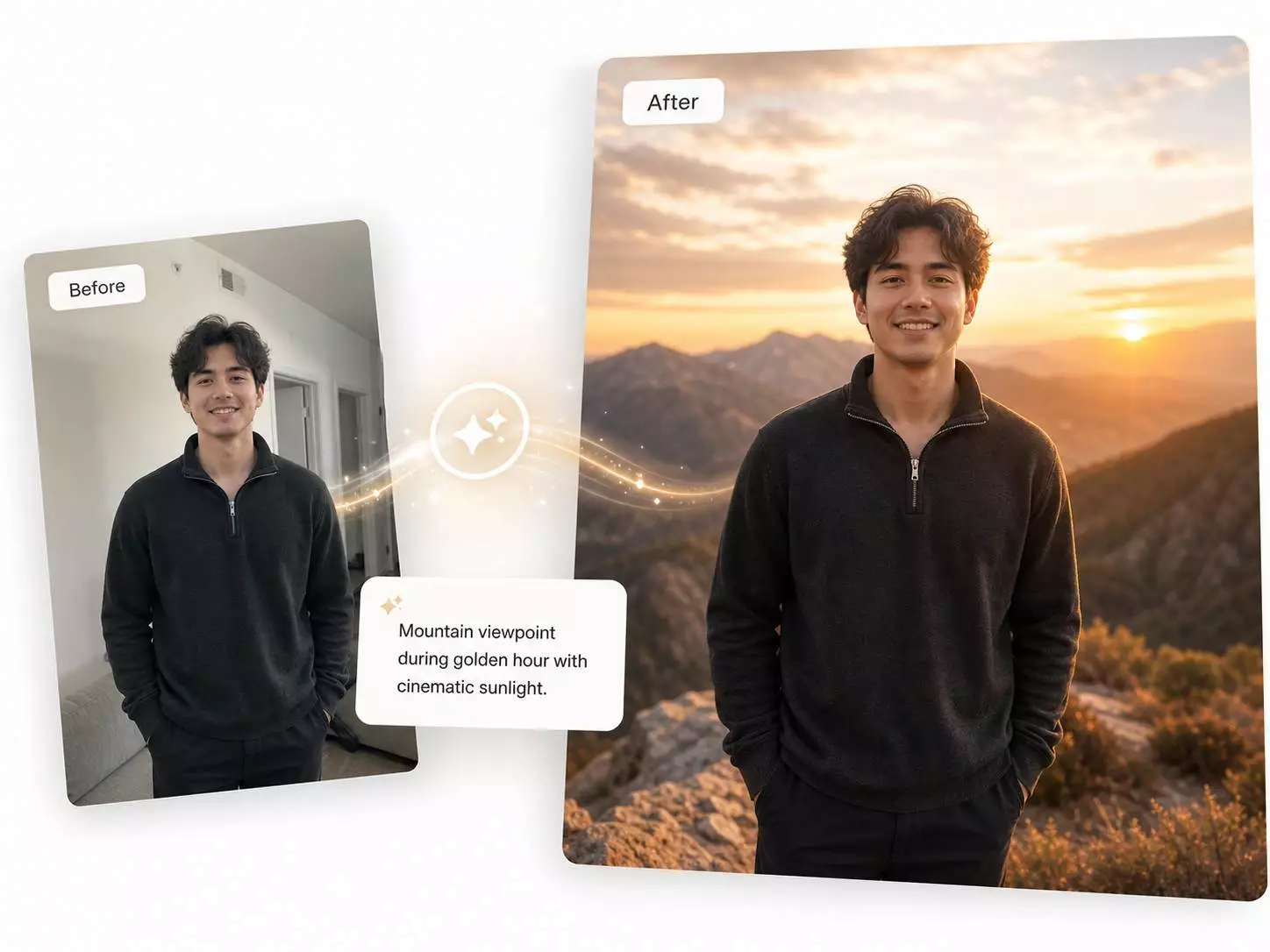
Replace photo backdrop with AI — indoor photo transformed into a mountain viewpoint at golden hour

Why Choose Our AI Background Changer

Replace photo backgrounds instantly — no watermark, no design skills required. Just upload, describe, and download a publish-ready image.

Simple and Intuitive Workflow

Upload your image, choose a background or describe one in words, and get a professional result right away.

Describe Any Background in Words

Describe a sunny beach, cozy cafe, or futuristic city, and AI generates it with matched lighting, shadows, and perspective.

Precise Subject Preservation

The AI preserves hair strands, fur, glasses, transparent materials, and complex edges for natural-looking results.

Fast AI Generation

Replace photo backgrounds in about 30 seconds with no manual masking or complex sliders.

HD Quality, No Watermark

Download clean, high-resolution images ready for e-commerce, social media, print, portfolios, and professional projects.

Multiple Modes for Every Need

Choose a solid color, a custom AI scene, or an uploaded background reference for the right result.

AI Background Changer FAQ

Answers to common questions about how our AI background changer works, supported image formats, and tips for the best results.

What is an AI background changer?

An AI background changer detects the subject in your photo and replaces the background with a new scene you describe. It generates a new background and matches it with your subject — no Photoshop or manual masking needed.

How does the AI background changer work?

The AI identifies and isolates the main subject, preserves fine details, and then generates or applies the background you choose while matching lighting, color, and perspective.

Can I change a photo background online without Photoshop?

Absolutely. Upload your image, choose a color, describe a background, or upload a reference image, then download a watermark-free result in seconds.

How do I get the best results?

Start with a clear, well-lit photo where the main subject stands out. Use a specific prompt that describes the setting, colors, and lighting for a custom background.

What is the difference between a background changer and remover?

A remover leaves a transparent PNG. A background changer removes the old background and replaces it with a color, an AI-generated scene, or a reference image.

What image formats and file sizes are supported?

We support JPG, JPEG, PNG, and WebP images up to 24MB.

Start Changing Photo Backgrounds Now

Upload your image, describe any background scene, and get a natural-looking result in about 30 seconds — no watermark, no design skills needed.