RightHair AI

Professional AI Image Extender

Stop cropping your best shots to fit a new format. Expand and uncrop any photo beyond its original frame — change aspect ratios, extend backgrounds, and build natural-looking compositions in seconds.

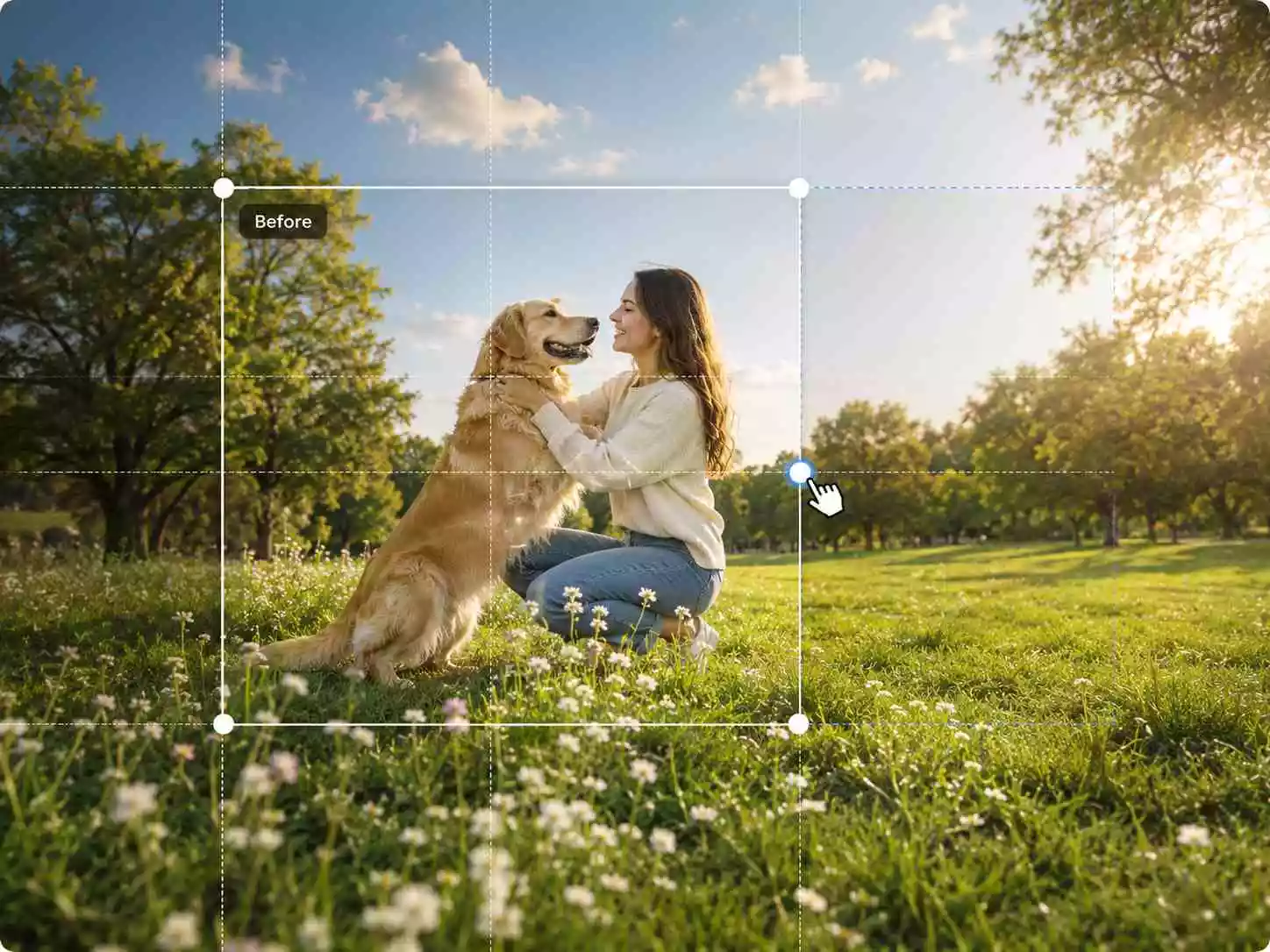
Extend your canvas

Drag an edge to add transparent generation space.

Up to 2× original size

Expand and Uncrop Images in Three Simple Steps

Extend your photos beyond their original frame and change aspect ratios without cropping using our AI Image Extender.

Step 1: Upload Your Image

Upload a JPG, JPEG, PNG, or WEBP image. Portraits, landscapes, product photos, and illustrations can all be extended with AI Image Extender.

Step 2: Choose Aspect Ratio and Direction

Select a preset aspect ratio such as 1:1, 16:9, or 9:16, or customize the canvas size. Choose which direction to expand — top, bottom, left, right, or all sides. Our AI Extender fills the new space with content that blends seamlessly with your original image.

Step 3: Generate and Download Your Image

Preview your expanded image and download high-quality results ready for social media, product listings, banners, wallpapers, or creative projects.

Expand Images Without Losing What Matters

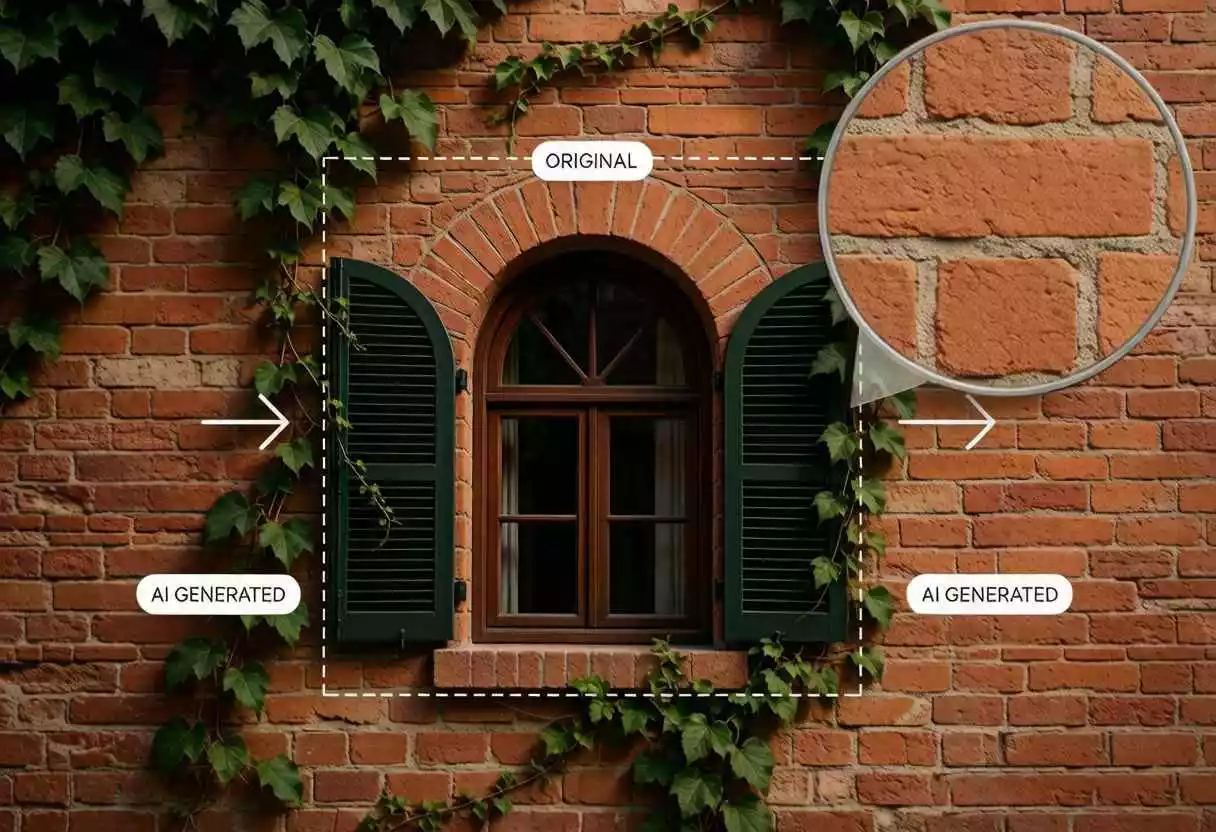
AI outpainting creates the missing space around your composition while your original pixels remain sharp and unchanged.

Seamless AI Outpainting for Any Image

Extend photos beyond their original borders with AI outpainting that intelligently analyzes colors, textures, lighting, and perspective. Whether you need to expand a portrait, uncrop a product shot, or widen a landscape, our AI Image Extender generates new content that blends naturally with your original image.
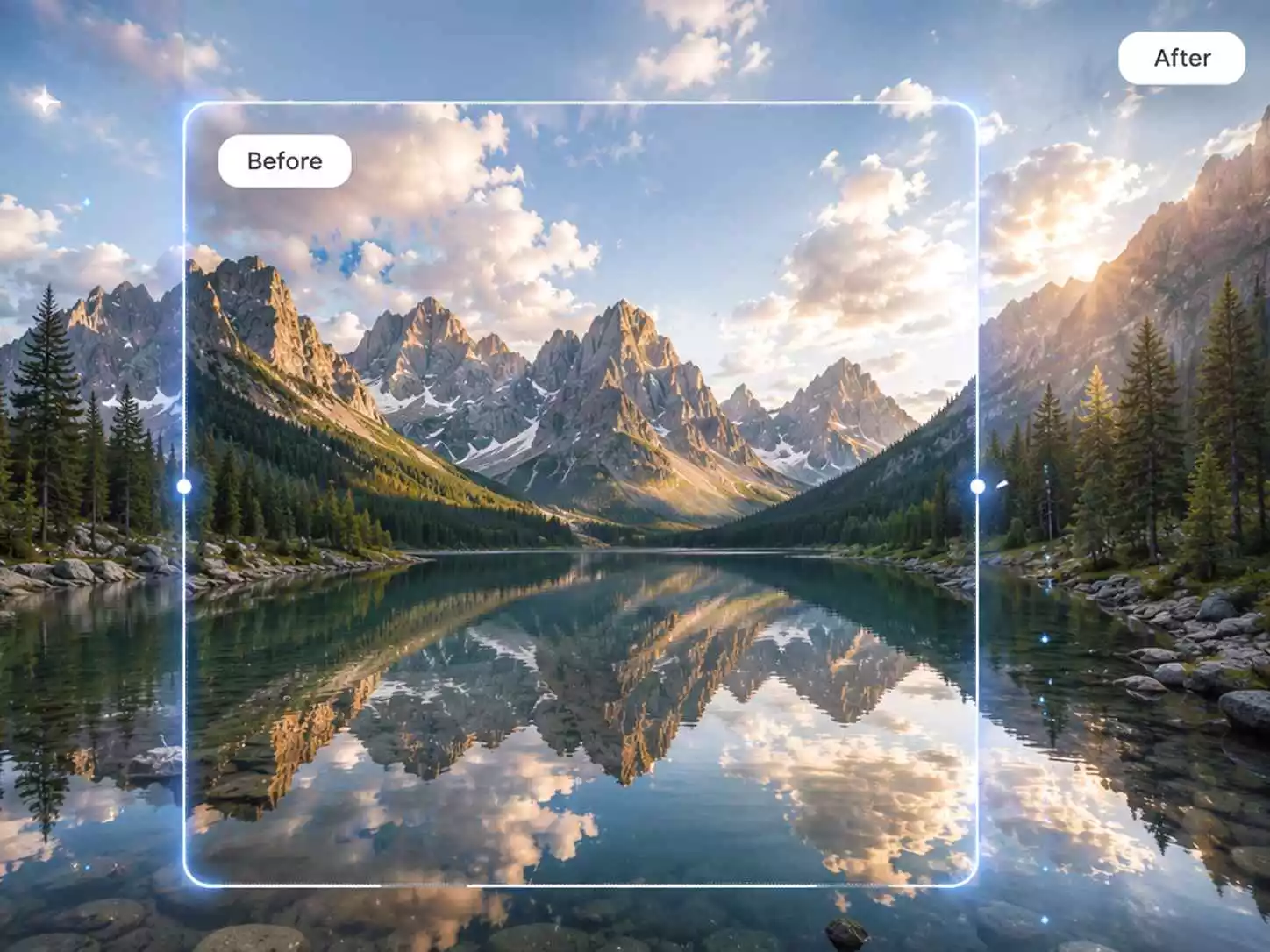
AI outpainting seamlessly expanding a landscape to panoramic

Change Aspect Ratio Without Cropping

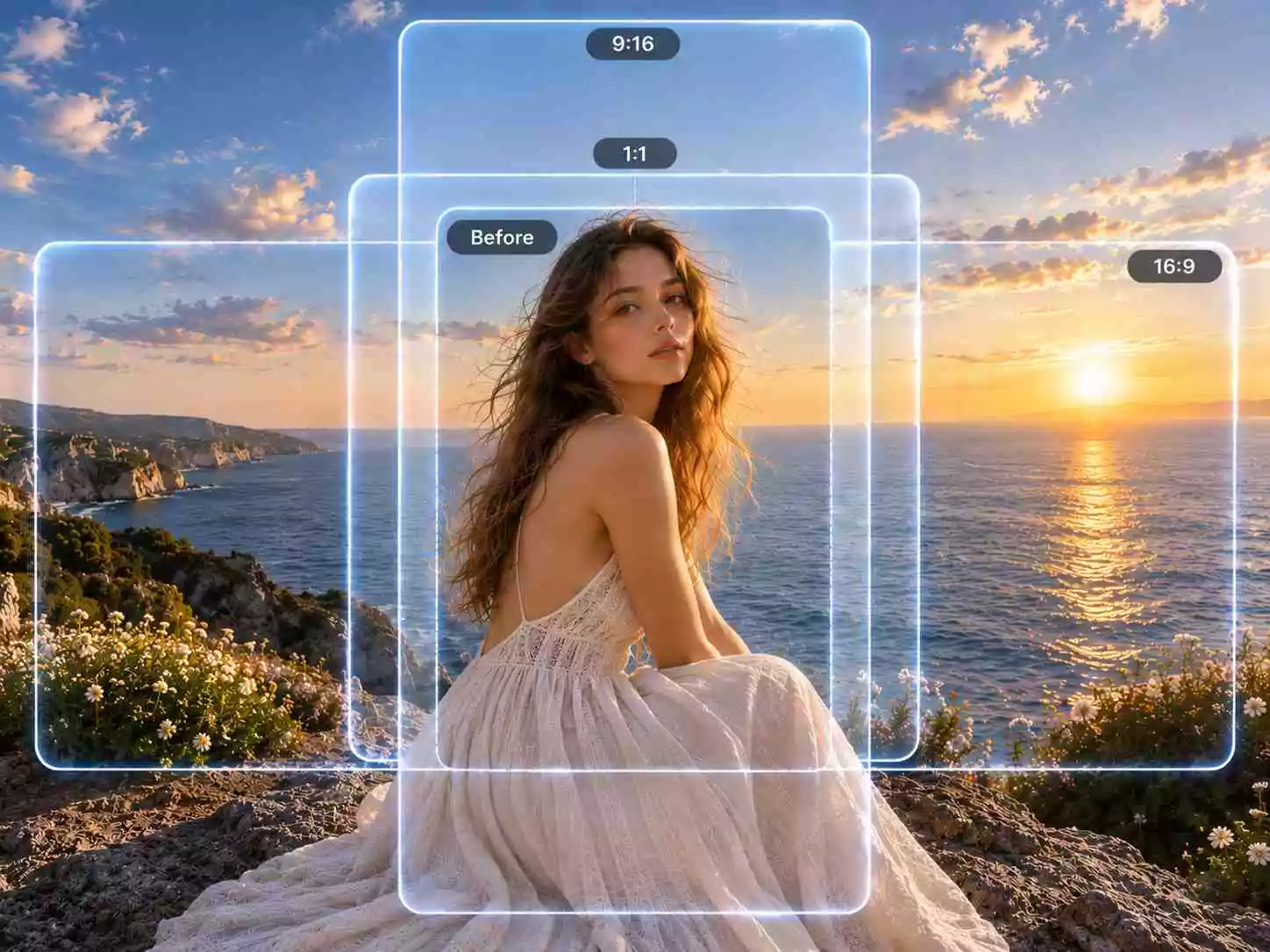
Every platform wants a different ratio — Instagram needs 1:1, YouTube needs 16:9, TikTok requires 9:16. Instead of cropping your subject and losing content, our expand image AI tool extends your background to fill the new canvas. Convert a single photo into every format your marketing channels demand without reshooting.

Expand image with AI for Instagram, YouTube, and TikTok ratios

Expand Photos in Any Direction

Choose to extend the top, bottom, left, right, or all sides of your image. Add breathing room to tight portraits, fix awkward framing, or create space for text overlays and layouts. The image extender gives you full control over how to reframe your shot while AI handles everything beyond the frame.

Image extender expanding a photo in any direction

Natural Results You Can Trust

AI Image Extender keeps your original image sharp while generating new content that matches colors, shadows, and textures. No stretching, no mirroring, no visible seams — just clean, high-resolution images you can confidently use on social media, product pages, and print materials.

AI Image Extender generating natural results at the seam

Why Choose Our AI Image Extender

Expand and uncrop your images with intelligent AI outpainting, flexible aspect ratio controls, and instant generation.

AI Outpainting Technology

Intelligently analyzes your image and generates new content that matches the original lighting, perspective, and textures for seamless results. No stretching, no mirroring, no visible seams.

Multiple Aspect Ratio Presets

Instantly switch between 1:1, 16:9, 9:16, 4:5, 3:4, and custom sizes. One click adapts your image for Instagram posts, YouTube thumbnails, TikTok videos, ecommerce listings, and website banners.

Works with Every Type of Image

Expand portraits, landscapes, product photos, travel pictures, architecture, artwork, food shots, and pets. Our AI Image Extender handles any subject and any background — from simple studio setups to complex outdoor scenes.

Fast AI Generation

Generate expanded images in seconds — no queue, no delay. Quickly test different aspect ratios and compositions to find the perfect frame.

Secure Image Processing

Your uploads are processed through an encrypted workflow and automatically deleted after processing. No data is stored or shared.

High-Quality Downloads

Preview your expanded result and download it in crisp, high resolution — ready to upload, print, or share anywhere.

AI Image Extender FAQ

Answers to common questions about AI image extension, outpainting, aspect ratios, uncropping, supported formats, and results.

What is an AI Image Extender?

An AI Image Extender uses artificial intelligence to expand images beyond their original borders. Instead of cropping or stretching, it generates new, realistic content that blends with your photo. It is also called AI outpainting, image extension, or uncropping.

How do I expand an image with AI?

Upload your image, choose a direction or aspect ratio you want to expand, and let our AI Image Extender generate new content around the edges. In seconds, you will receive a larger image with seamless background extensions — no Photoshop or manual editing required.

How does AI outpainting work?

AI outpainting analyzes your uploaded image — identifying colors, textures, lighting direction, and perspective — then generates new pixels beyond the original frame that match the existing scene. The result looks natural, as if the photo was originally taken with a wider lens.

What can I use an AI image extender for?

The most common use is resizing photos for different social media platforms — turning a square shot into a 16:9 YouTube thumbnail or a 9:16 Instagram Story. Ecommerce sellers use it to fit product photos into marketplace dimensions without reshooting. Photographers uncrop landscapes and portraits to widescreen or print formats. Designers and marketers expand canvases for website hero banners, ads, and presentations. It is also great for fixing tight crops, adding breathing room around a subject, and turning phone photos into desktop wallpapers.

Can I uncrop an image without losing quality?

Yes. Our AI Image Extender preserves your original image quality while generating new content. You can uncrop a photo, change its aspect ratio, or extend the background, and download the result in high resolution without visible seams or artifacts.

Is the AI image extender free to use?

Yes. Our AI Image Extender is free to use with daily credits. Create an account, upload an image, choose an aspect ratio, expand it, and download the result without a watermark.

What image formats are supported by the image extender?

Our image extender supports JPG, JPEG, PNG, and WebP formats. Clear, high-resolution images with visible backgrounds work best. Portraits, landscapes, product photos, illustrations, and AI-generated artwork are all great choices for expansion.

Can I expand an image for print or large-format use?

Yes. You can extend images to high-resolution dimensions suitable for posters, banners, and print materials. Our AI Image Extender generates high-quality output that holds up at larger sizes, making it useful for both digital and print projects.

Start Expanding Your Images Now

Upload your photo, choose an aspect ratio, and let our AI Image Extender expand your image for social media, websites, marketing, ecommerce, and more.