
Professional AI Style Transfer Tool
Transform any image into a unique artistic creation with our Professional AI Style Transfer Tool. Choose from preset artistic styles or add your own prompt to customize the result.
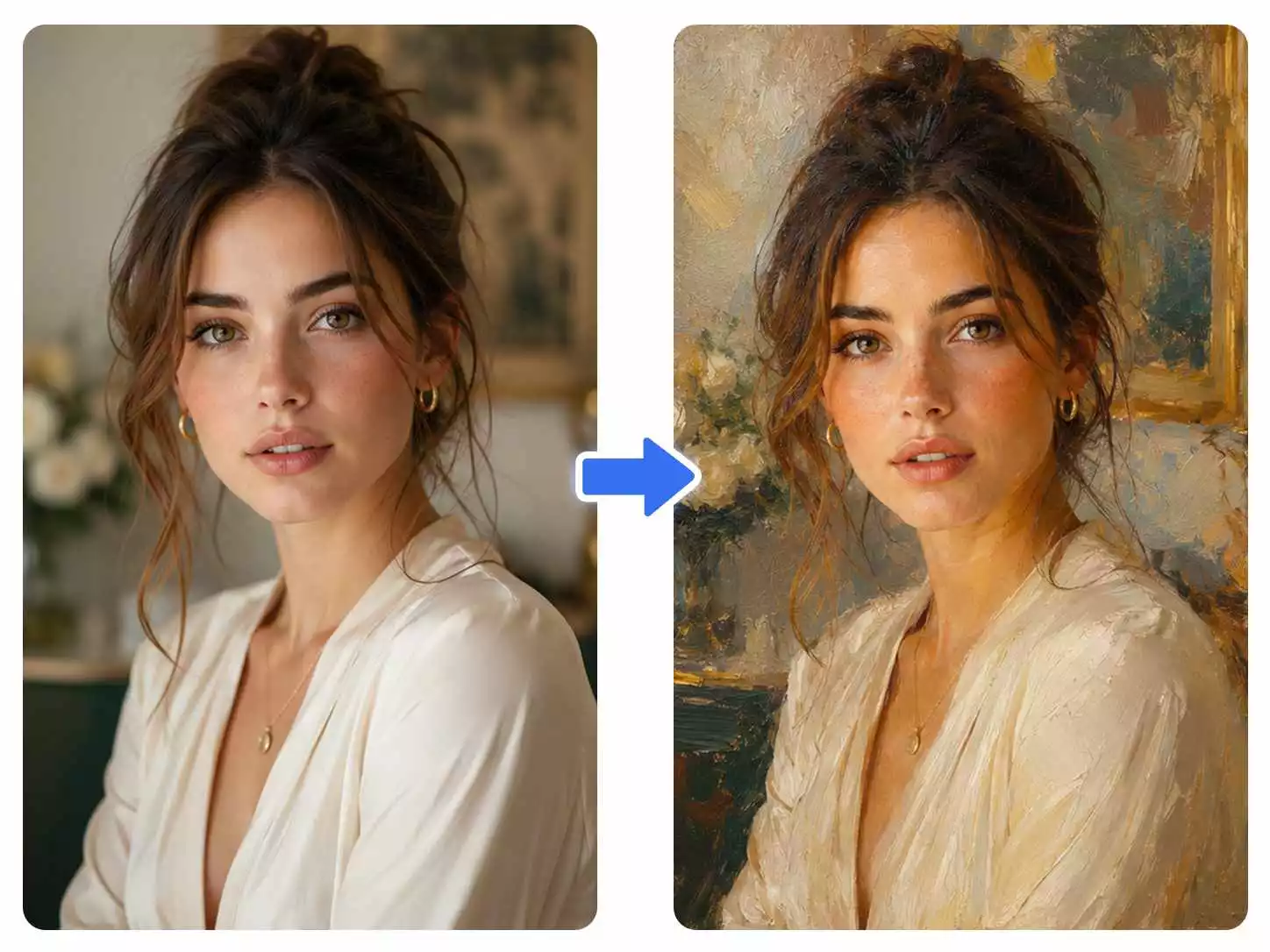
Create AI Style Transfer Images in Three Simple Steps
Transform your images with preset artistic styles or custom prompts using our AI Style Transfer Tool.
Step 1: Upload Your Image
Upload a JPG, JPEG, PNG, or WEBP image. Portraits, landscapes, pets, products, and illustrations can all be transformed with AI Style Transfer.
Step 2: Choose a Style or Add Your Prompt
Select a preset artistic style or enter your own prompt to customize the transformation. Our AI Style Transfer tool applies your chosen style while preserving important details of your original image.
Step 3: Generate and Download Your Image
Preview your transformed image and download high-quality results ready for social media, marketing, creative projects, or personal use.
Create Unique Artwork with AI Style Transfer
Transform portraits, landscapes, products, and illustrations with preset styles or a custom prompt while preserving important original details.
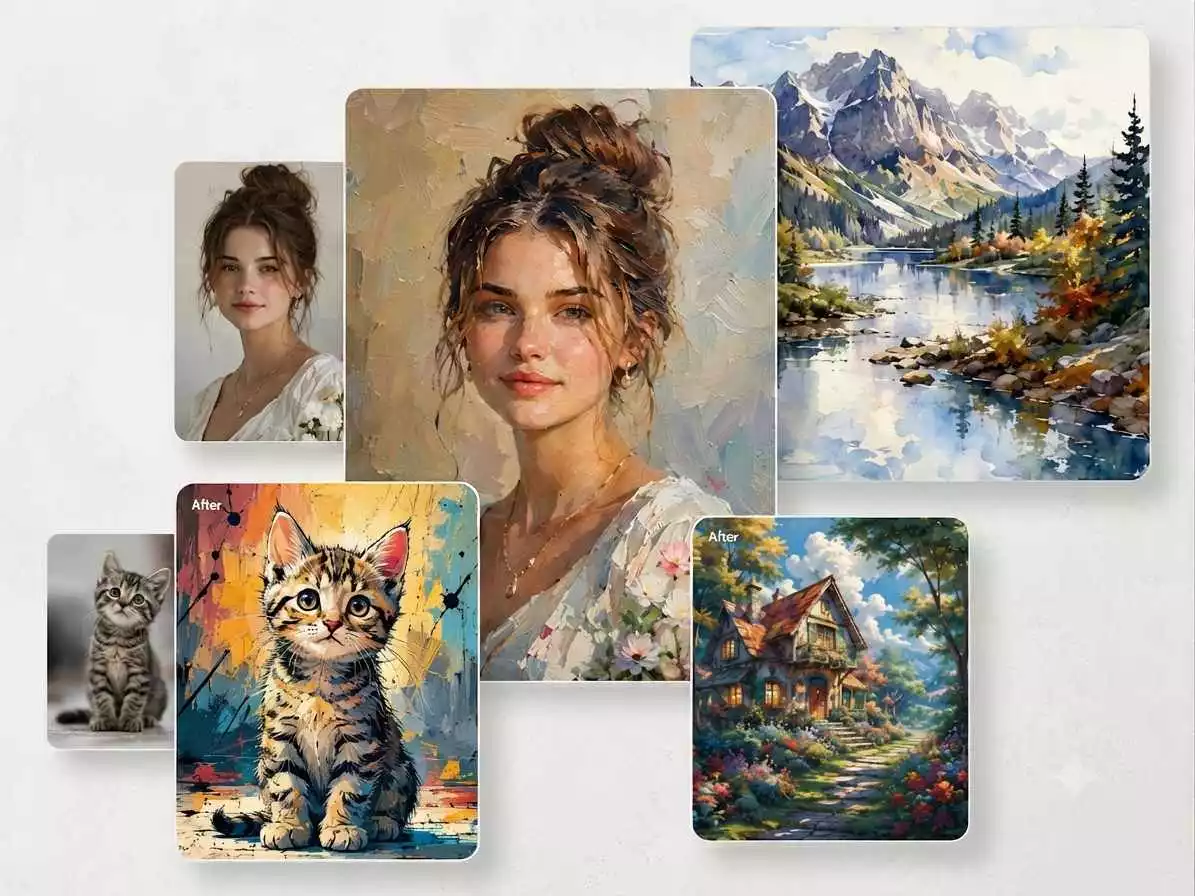
Apply Artistic Styles to Any Image
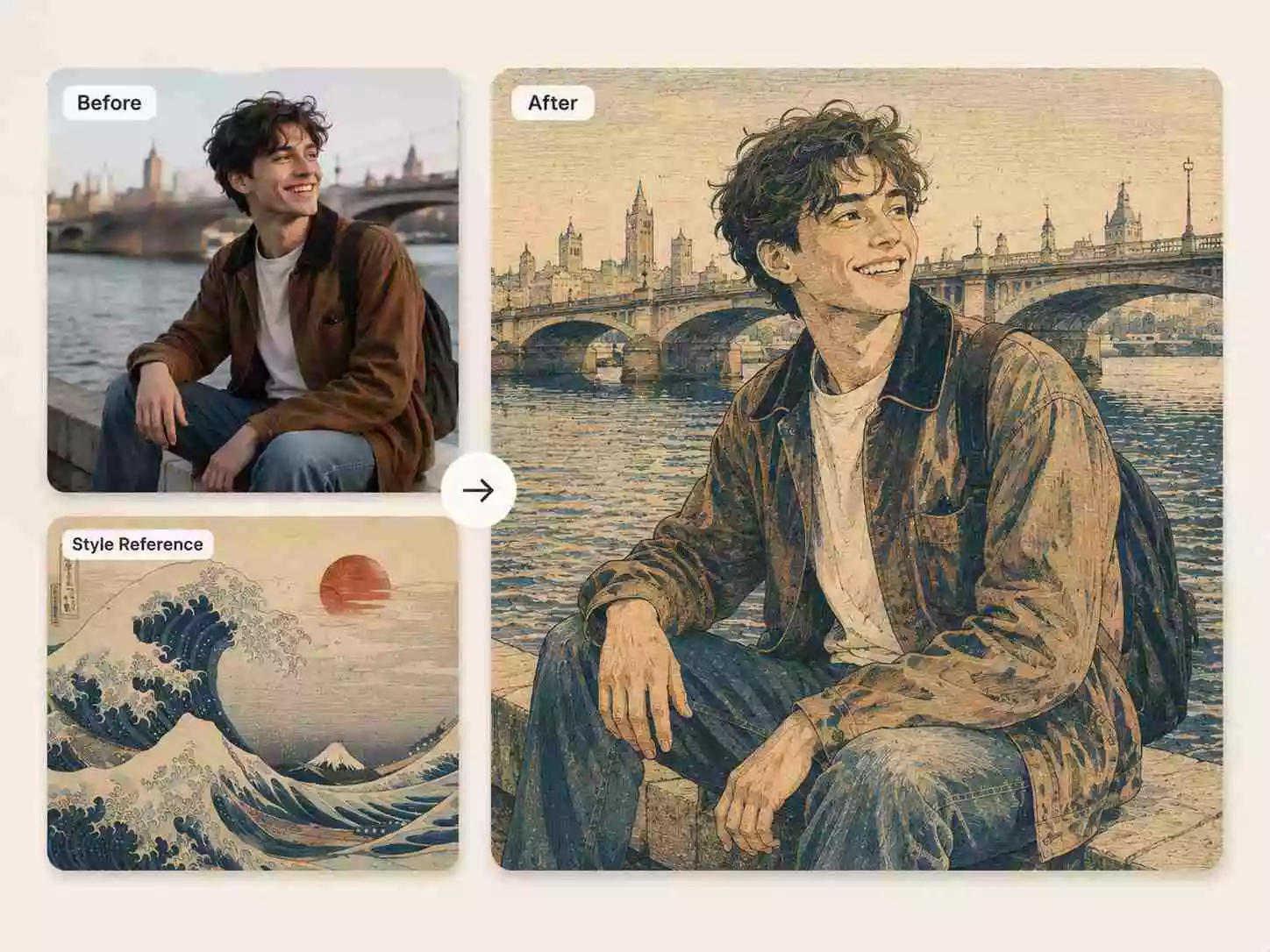
Transform portraits, landscapes, pets, products, architecture, food, and illustrations with our AI Style Transfer Tool. Choose from preset artistic styles or add a custom prompt to create unique stylized images while keeping your original subject recognizable.
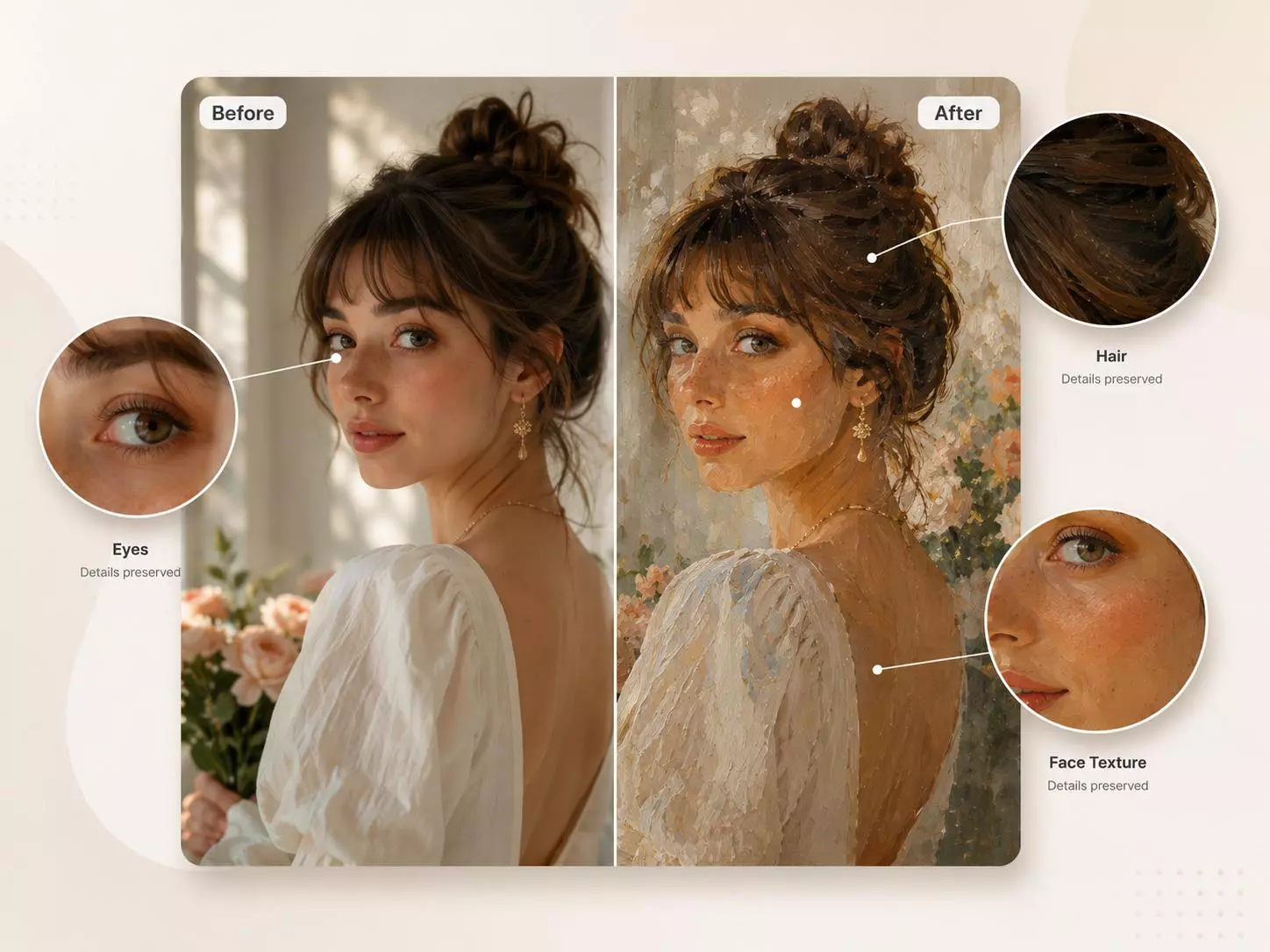
Preserve Original Details with Style Transfer AI
Our Style Transfer AI analyzes faces, objects, poses, and composition before applying a new artistic style. This advanced Image Style Transfer process creates natural transformations that maintain important details while delivering a fresh artistic appearance.
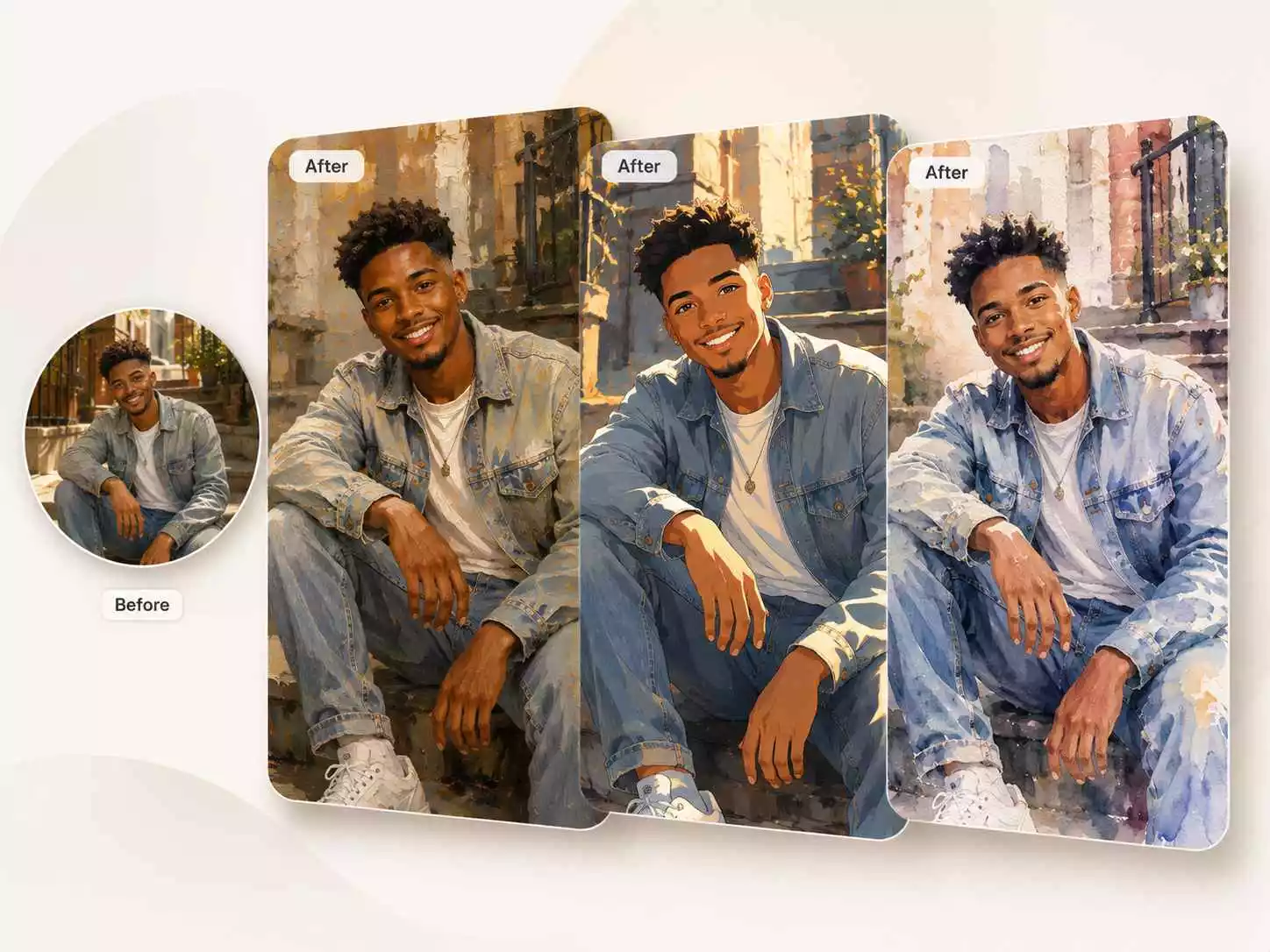
Explore Different AI Style Transfer Effects
Create different visual variations from one image using popular artistic styles such as anime, watercolor, oil painting, sketch, comic, and more. Use Image Style Transfer to explore creative directions for social media, marketing, presentations, and personal artwork.
Customize Results with Simple Prompts
Combine preset styles with your own prompts to fine-tune colors, lighting, textures, mood, and visual details. Create personalized results that match your creative ideas without complicated editing tools.
Why Choose Our AI Style Transfer Tool
Create unique artistic transformations with preset styles, custom prompts, intelligent subject preservation, and fast AI-powered generation.
Preserve Original Image Details
AI Style Transfer keeps important faces, objects, and composition recognizable while applying a completely new artistic style through intelligent Style Transfer AI technology.
Explore Popular Artistic Styles
Choose from different styles such as anime, watercolor, oil painting, sketch, comic, and other creative effects to transform your images.
Preset Styles and Custom Prompts
Combine ready-to-use artistic styles with your own prompts to control colors, lighting, textures, mood, and overall visual direction.
Fast AI Generation
Generate multiple artistic variations in seconds and quickly explore different creative possibilities.
Secure Image Processing
Your uploaded images are securely processed throughout the AI generation workflow.
High-Quality Downloads
Preview your generated results and download clean, high-resolution stylized images for personal or professional use.
AI Style Transfer Tool FAQ
Answers to common questions about AI Style Transfer, artistic styles, prompts, supported images, downloads, and results.
What is AI Style Transfer?
AI Style Transfer uses artificial intelligence to transform the visual style of an image while preserving important elements such as the subject, composition, and key details. It allows you to create new artistic versions of your images using preset styles or custom prompts.
How does AI Image Style Transfer work?
AI Image Style Transfer analyzes your uploaded image, identifies important elements like faces, objects, and composition, then applies your selected artistic style or prompt. The result is a transformed image that keeps the original subject recognizable while creating a new visual style.
What styles can I create with AI Style Transfer?
You can create many artistic effects including anime, watercolor, oil painting, sketch, comic, fantasy, cyberpunk, pixel art, cartoon, and other creative styles. You can also combine preset styles with custom prompts to achieve a more personalized result.
Can I use my own prompt with AI Style Transfer?
Yes. In addition to preset artistic styles, you can add your own prompt to customize the transformation. Describe the mood, colors, lighting, textures, or artistic direction you want, and the AI will adjust the result based on your instructions.
Can I use AI Style Transfer online?
Yes. Our AI Style Transfer Online tool works directly in your browser. Upload an image, choose a style template or enter a prompt, and create stylized images online without installing additional software.
What images work best for AI Style Transfer?
Clear, high-resolution images usually create the best results. Portraits, landscapes, pets, architecture, products, travel photos, illustrations, and digital artwork are all great choices. Images with clear subjects help the AI create richer styles and more natural transformations.
Start Creating with AI Style Transfer
Upload your image, choose a style template, add your prompt, and transform it into a unique artistic image in seconds.