



Professional Image Refresh
Preview neat, face-framing layers that look refined in meetings, headshots, interviews, and everyday office styling.
Instantly add movement, volume, and definition with chic layered cuts. Perfect for a soft, modern, and textured look.
Drag and drop your image here or click to select
Supports JPG, JPEG, PNG or WebP up to 20MB
From diverse styles and effects, find the hairstyle that suits you best.
Plan a layered haircut with balanced face-framing, smooth transitions, and the right amount of body for your hair length.
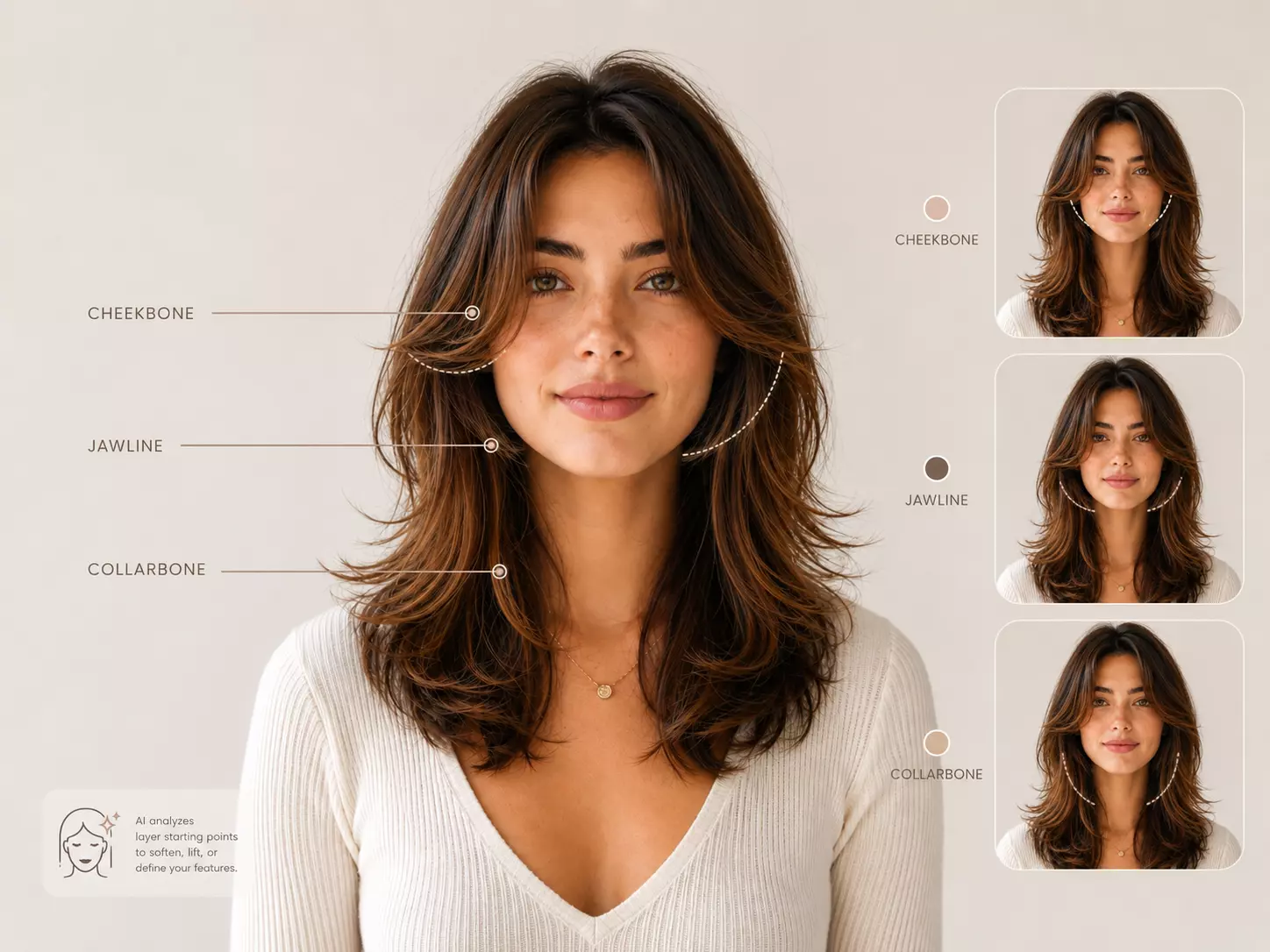
Layered hair is about where the movement begins. The AI compares cheekbone, jawline, and collarbone starting points so you can see which front pieces soften, lift, or define your face.
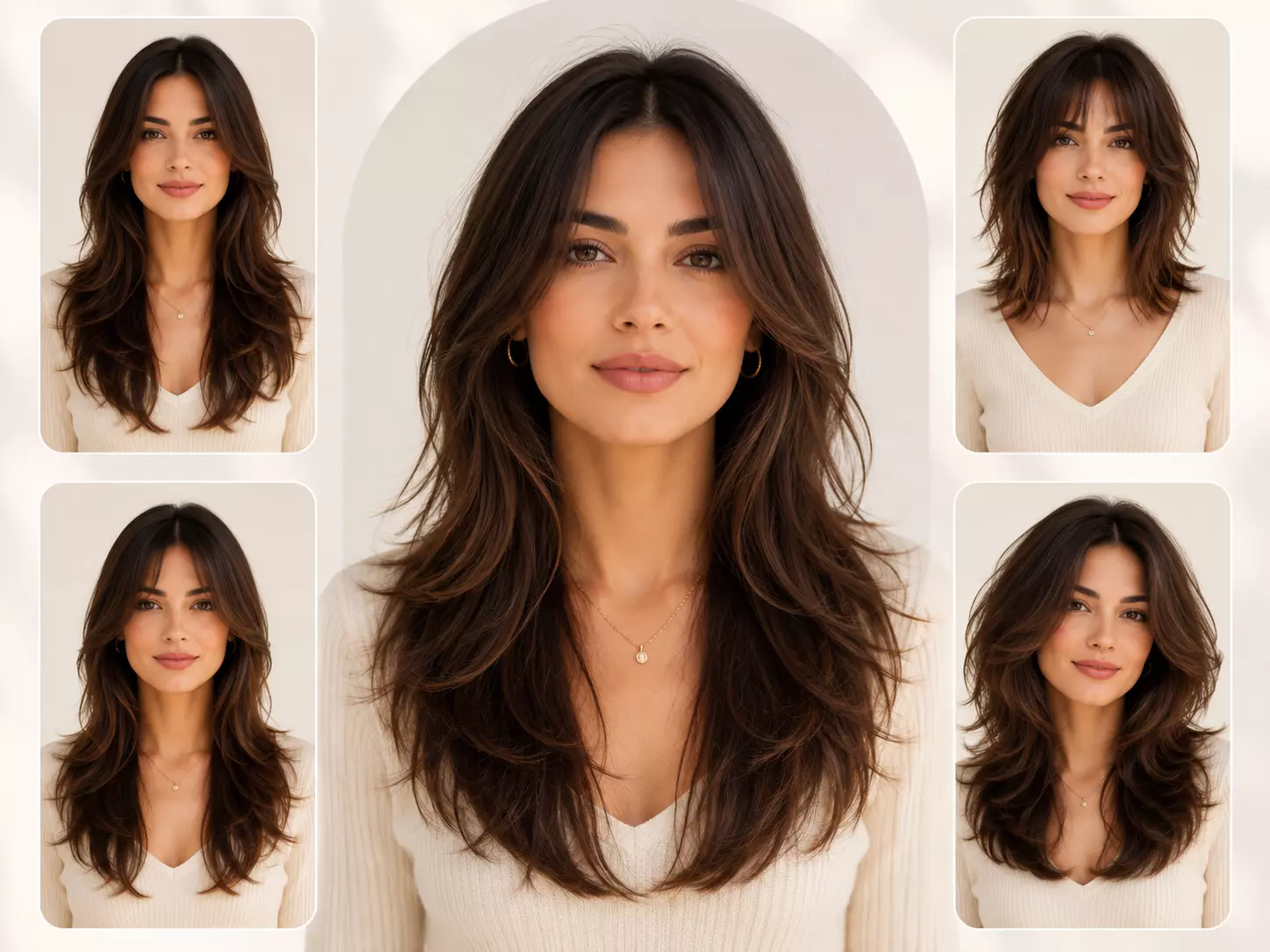
Preview classic long layers, soft choppy layers, face-framing layers, and fuller layered shapes. Instead of a dramatic style shift, this view helps you refine proportion, length, and flow.
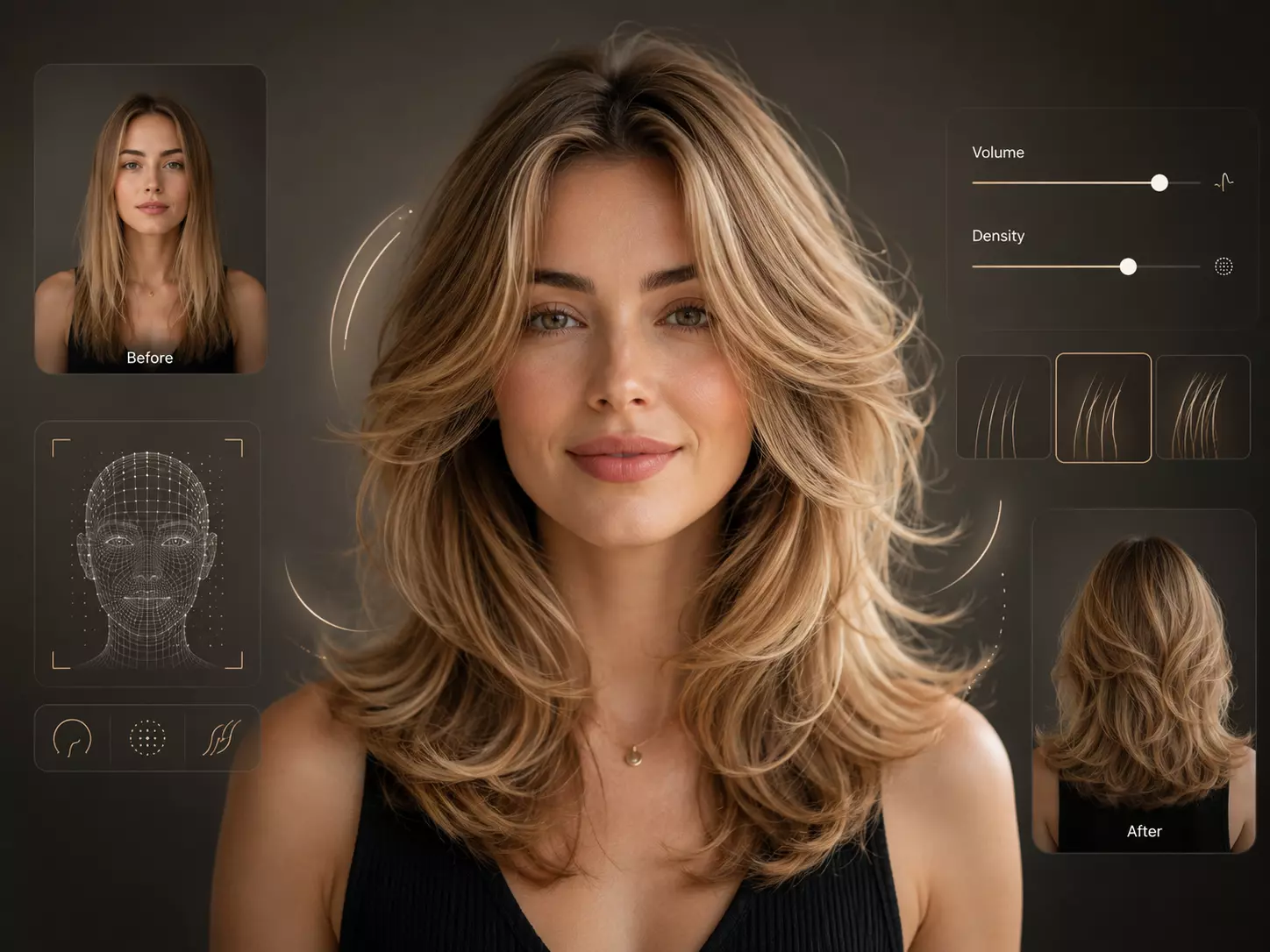
See how much bounce layers add while keeping the ends healthy and full. Adjust smoothness, root volume, and texture control to avoid layers that look too thin or too heavy.
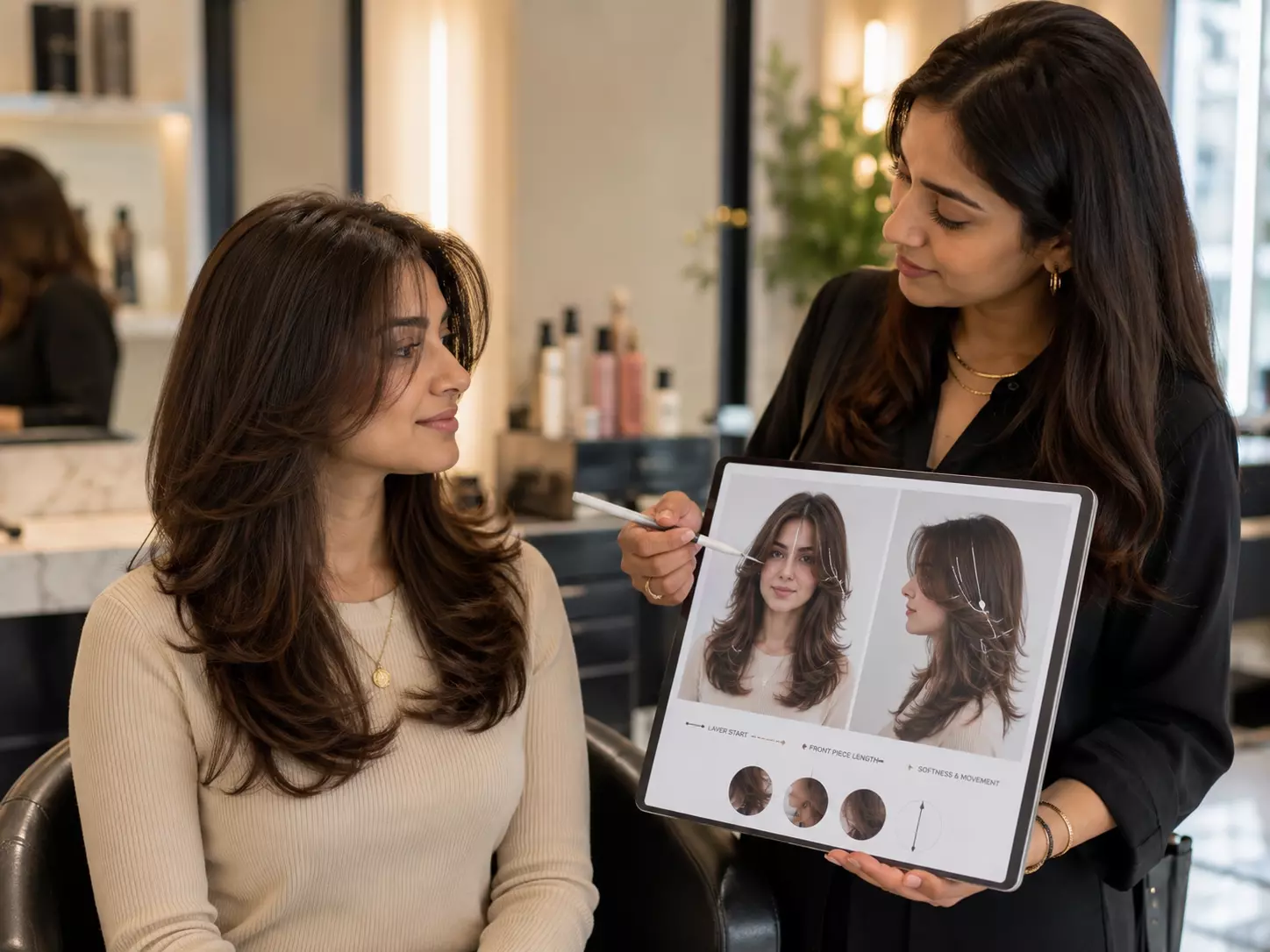
Show your stylist the exact layer start point, front-piece length, and level of softness you want. A layered cut is subtle, so a realistic reference helps prevent over-cutting.
Preview polished layers, face-framing shape, and natural movement before deciding how much length to remove.
Start with a sharp portrait where your jawline, cheekbones, and current hair length are visible. This helps the AI shape layers around your features.
Compare long blended layers, collarbone layers, cheekbone-framing pieces, or a layered bob effect. Adjust softness, movement, and volume.
Download the look that best shows your ideal length, front pieces, and overall flow, then bring it to your stylist as a clear reference.
Preview neat, face-framing layers that look refined in meetings, headshots, interviews, and everyday office styling.
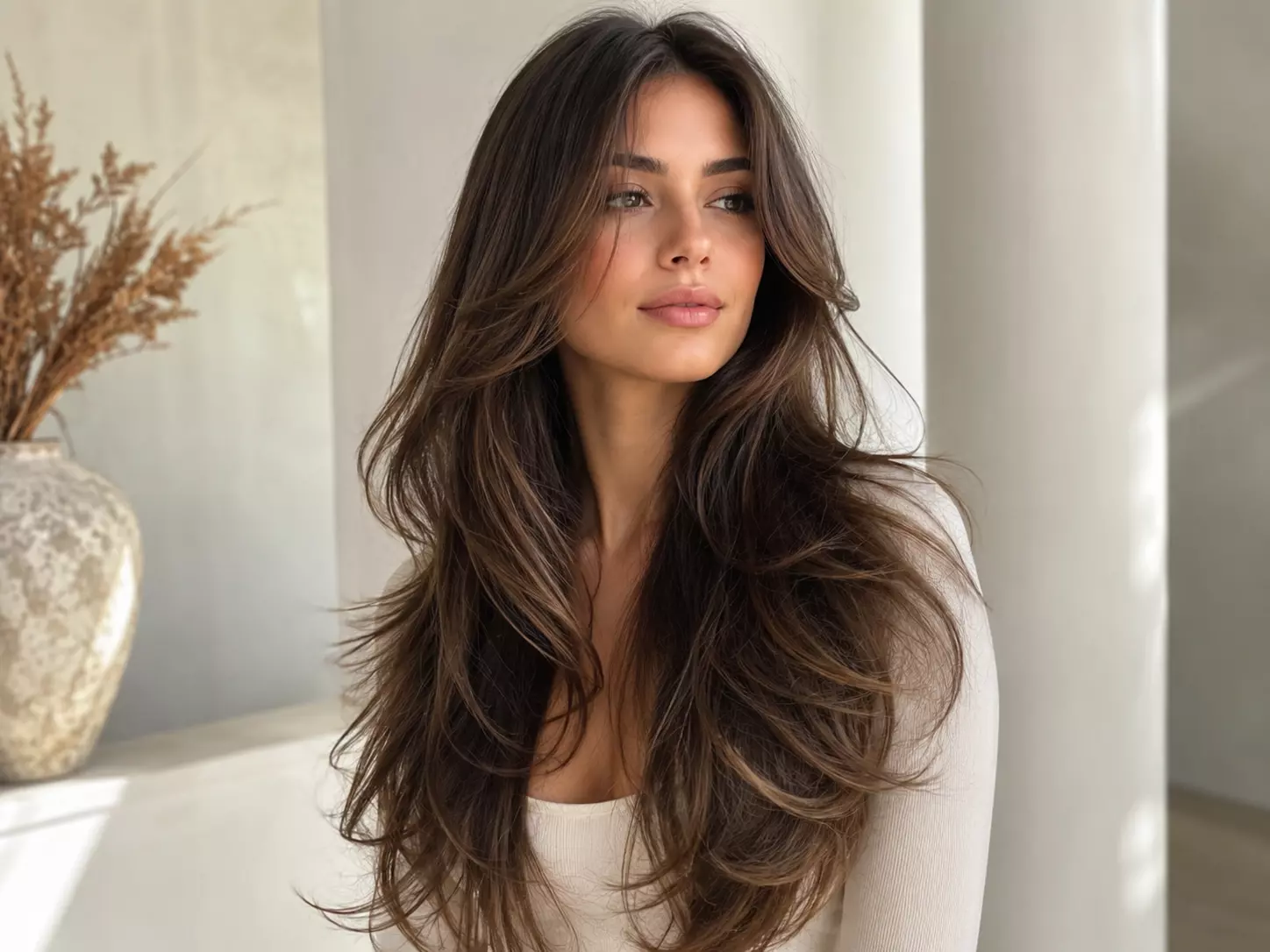
Keep length while testing layers that add lift, swing, and shape so long hair does not sit heavy around the face.
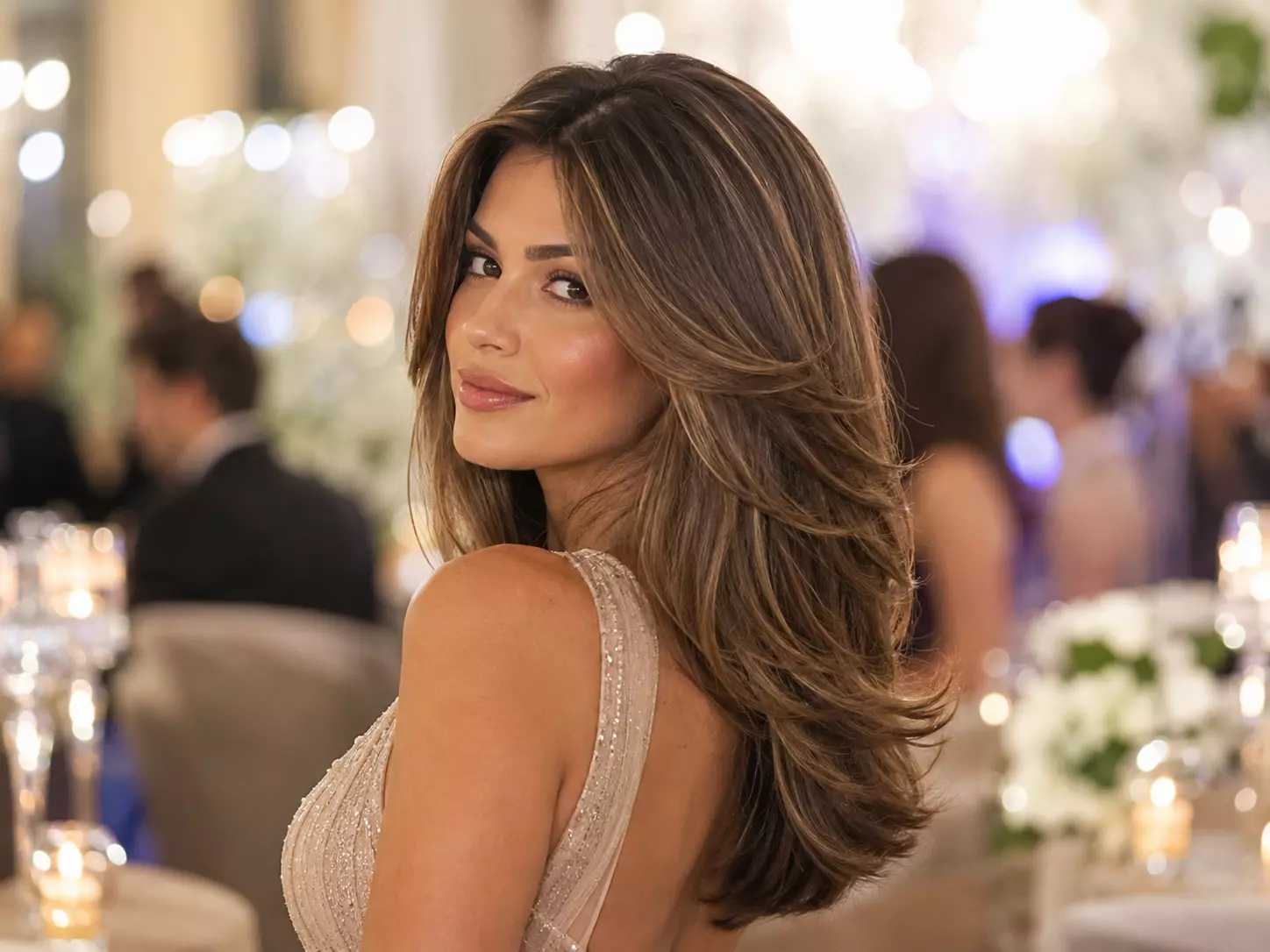
Check how layers will hold waves, blowouts, and curled ends before weddings, parties, graduations, or formal photos.

Try a graceful update when you want visible shape and movement without committing to bangs, a bob, or a dramatic short cut.
Helpful answers for trying layered hairstyles with RightHair's AI haircut preview tool.
The tool reads your face shape, hair length, and portrait angle, then creates a layered preview with blended transitions, face-framing pieces, and natural-looking movement.
You can preview long blended layers, soft face-framing layers, feathered movement, collarbone-length layering, and layered bob-inspired shapes.
Yes. The preview makes it easier to compare cheekbone-length, jawline-length, and collarbone-length layers before committing to a cut.
Yes. Layered styles focus on balanced movement and shape, while shaggy and wolf cuts usually lean into rougher texture, heavier fringe, or more dramatic crown volume.
Yes. The filter is especially useful for seeing how front layers soften the face, open the cheekbones, or add definition around the jawline.
Yes. You can preview how root volume, texture control, and subtle layering may make fine hair look fuller without losing too much length.
Use a sharp portrait with minimal filters, no hat, and enough space around your hair. A neutral expression and visible jawline produce the cleanest preview.
Absolutely. Save your favorite layered preview and show your stylist the exact length, movement, and face-framing direction you want.
The standard try-on experience is free. Some premium options, such as high-resolution downloads or advanced previews, may require an upgrade.
Your photo is used to create the hairstyle preview and is not intended to be sold, published, or shared publicly through the try-on workflow.